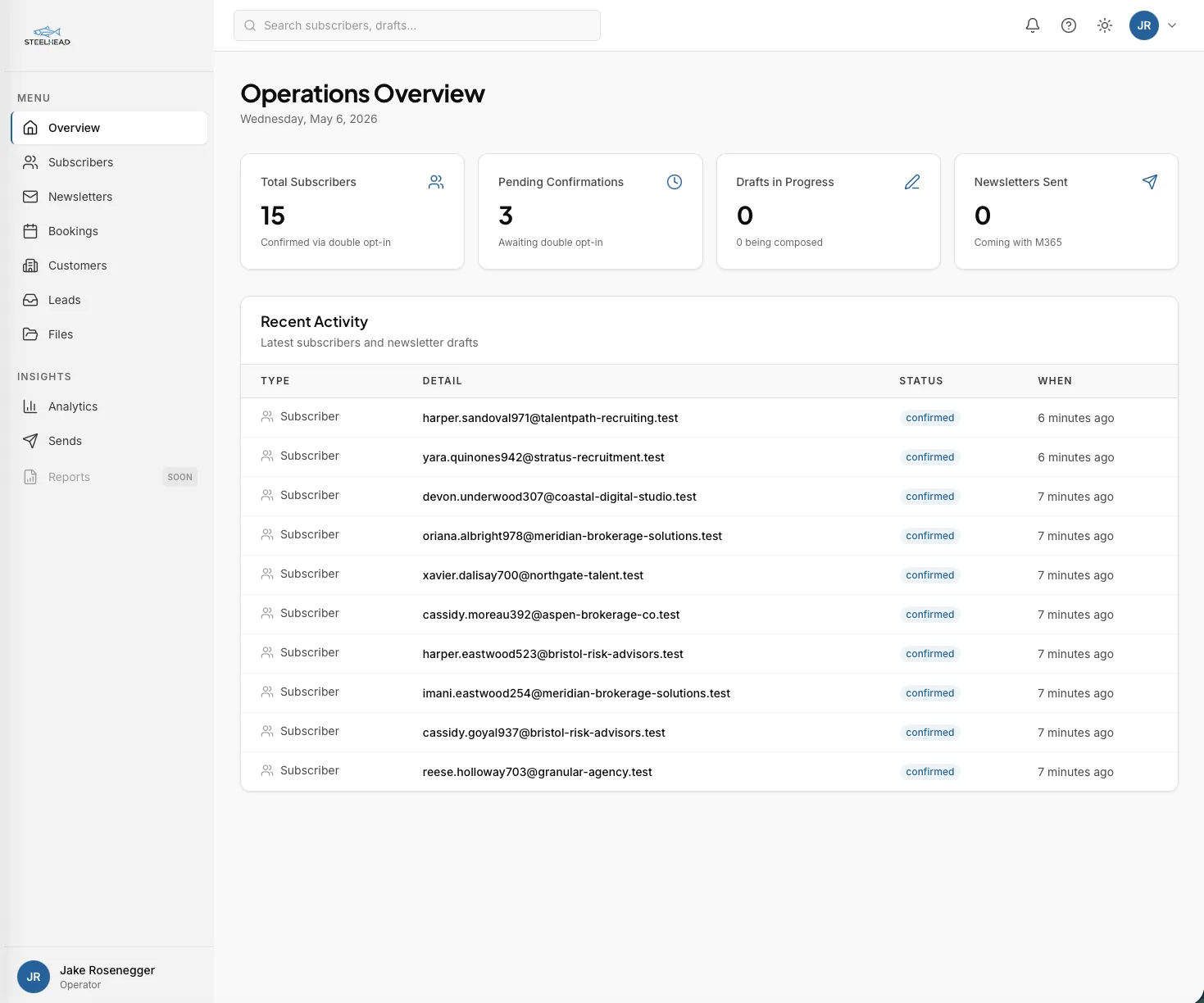
Seven tools, none of them talking
Solo consultants run their business across seven or eight unrelated tools, and none of them know about each other. Leads land through one form builder. Customer records sit in a CRM. Calls get scheduled by a separate booking app. Notes live in a personal wiki. Files sit in cloud storage. The newsletter is published from a fourth-party tool. Analytics watches from a fifth.
A single customer's record exists as a contact row in the CRM, a calendar event in the booking tool, a folder of files in cloud storage, a newsletter subscription with consent metadata, and an entry in the analytics funnel. Five copies of the same person, none of them consistent, none of them queryable as a whole.
Each of these tools individually does its job well enough. The problem is that none of them connect, and the cost of that disconnection compounds. A discovery call gets scheduled in the booking tool but never lands in the CRM. A new newsletter subscriber's consent record sits in one system while their inquiry history sits in another. The analytics tool knows which UTM source drove a visit but cannot follow that visit through to whether it became a customer.
The pivot is the obvious one once you stop accepting the stack as inevitable: build the system once, host it cheaply, own it forever. The customer record becomes one record. The newsletter, the booking, the file pile, the lead intake, and the analytics all hang off it. Every workflow connects.
What got built
One Azure Functions app, one Postgres database, one Next.js dashboard, deployed to Canada Central. The Functions app exposes 31 operator endpoints behind dashboard authentication and 10 anonymous public endpoints for the marketing site. The dashboard is a static export served from Azure Static Web Apps. The database is a single $15-a-month Postgres flexible server holding 21 tables that span every workflow.
The scale tells the story. Roughly 33,400 lines of application code, split between a Python backend and a TypeScript dashboard. Twenty architecture decision records, each one capturing the constraint that drove a specific choice. Six hundred and forty automated tests across the integration and unit suites, all passing on every change. One hundred and ninety-five commits across 14 named build phases. The pace was only possible because of an AI-assisted development workflow; the same workflow is the one we use on client engagements.
All hosting sits in the Canadian sovereign data boundary, which matters for any client whose data can never leave Canada. The platform was designed around that constraint from day one rather than retrofitted onto a US-hosted SaaS that ships to Calgary by accident.
The rest of this case study walks through the live surfaces in turn. Each one replaces a category of paid tool, and each one is wired into the same customer record so the picture stays consistent.
Leads, customers, and the customer record
Every lead from the marketing site lands in one inbox, scored, banded, and ready to review. The two front doors are the AI readiness assessment and the contact form. Both post directly to the platform's public endpoints. Neither requires a third-party form builder.
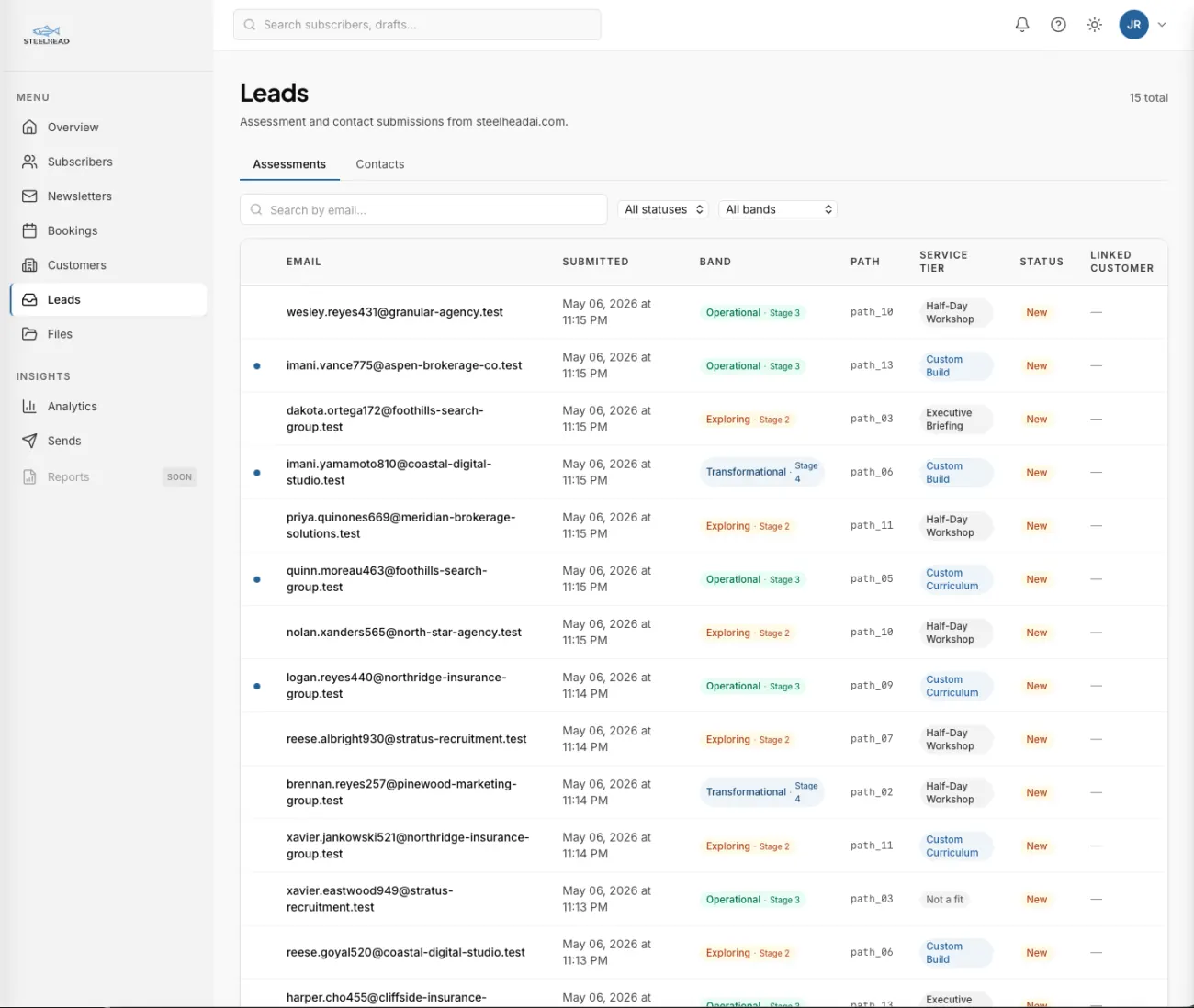
An assessment submission is more than an email address. It comes with five dimension scores covering strategy, process, data, workforce, and governance, each one derived from the visitor's actual answers. Those five scores roll into an overall readiness score that drops the lead into one of four bands, from Ad Hoc through Exploring and Operational up to Transformational. A recommendation path is assigned automatically, so a banded lead arrives with a suggested next step rather than as a row that still needs sorting.
The Leads surface holds both kinds of submission in one view, with a drawer that opens onto the raw answers, the dimension breakdown, the recommendation, and the buttons to convert the lead into a customer record. That conversion is one click; the contact metadata, the assessment results, and the source attribution all carry over. Quietly, this surface replaces the slice of work that would otherwise live across a paid form builder, a free-tier CRM, and a manual spreadsheet.
Once a lead becomes a customer, the customer record becomes the spine of everything else. The Customers surface pulls together the profile, the bookings history, the files associated with the engagement, and a private ask-the-files panel that lets the operator query that customer's documents directly. Open one customer drawer and you can see every interaction the platform has ever recorded, in order, in one place.
Bookings, owned end-to-end
Discovery calls, retrospectives, and re-engagements all flow through one calendar. Event types are configured once with their length, lead time, and buffer rules. Availability rules describe the recurring weekly windows the calendar should expose. Time blocks let the operator carve out exceptions without touching the rules.
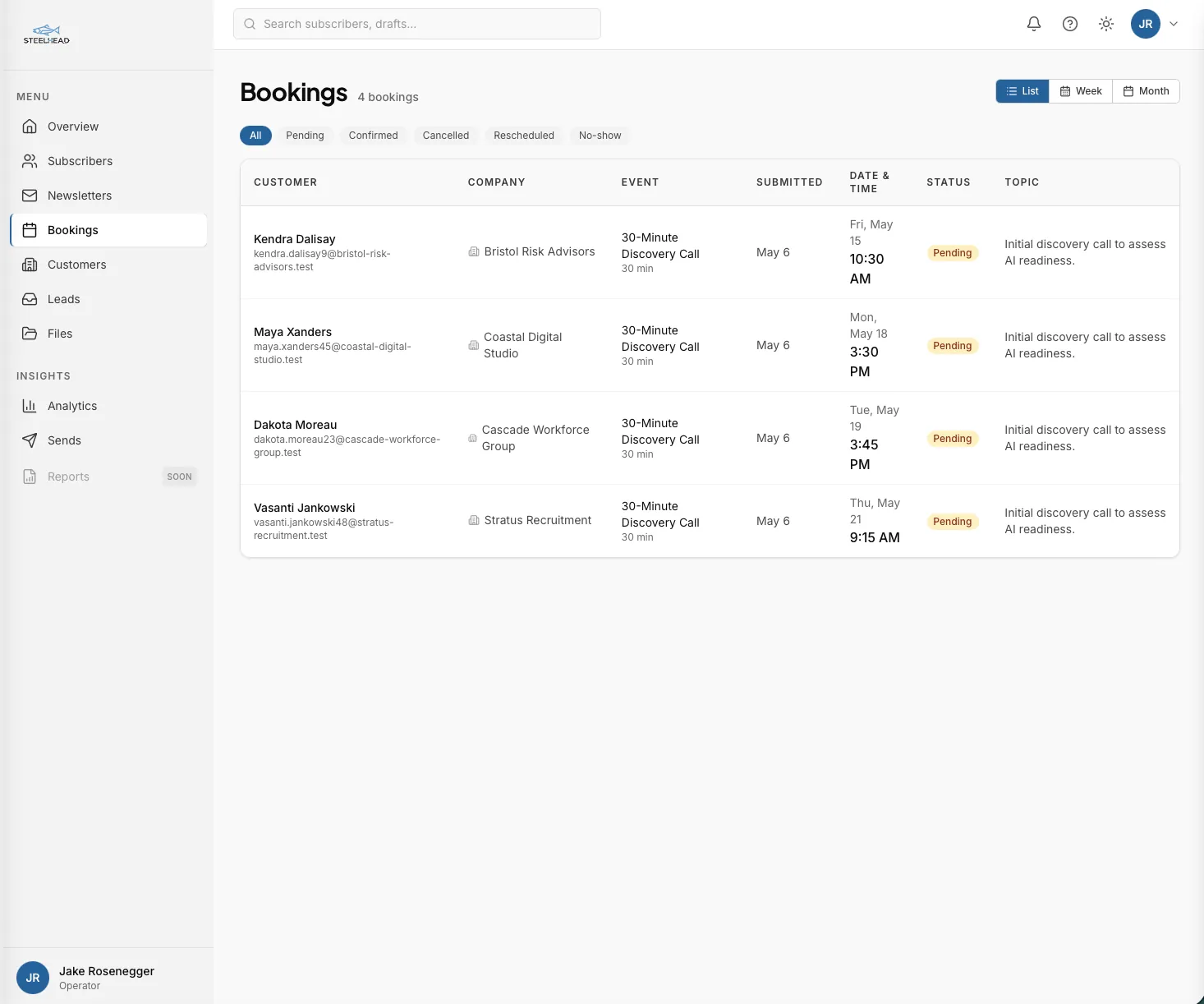
The public booking endpoints power the slot picker on the marketing site. A visitor selects an event type, the system returns only the slots that are actually open after applying every rule, the visitor submits a booking, and the platform issues a signed confirmation token by email. The booking is held in a pending state until the visitor clicks confirm. After 24 hours unconfirmed, it expires automatically.
The status model is honest about the lifecycle. A booking can be pending, confirmed, cancelled, rescheduled, or no-show, and every transition is logged with timestamps and reasons. Reschedules preserve the calendar identifier so the original event in the operator's calendar updates rather than being deleted and recreated. Race conditions where two visitors grab the same slot are caught at the database layer; the same predicate the application uses to compute availability is enforced as a Postgres constraint, so a double-book is structurally impossible. In practice this means you have an audit trail for every interaction, which matters when a client disputes a missed call or a finance team asks why a session was billed.
This surface replaces a category of tool that costs roughly $15 a month at the Pro tier, while staying natively integrated with the customer record. A booking is not just a calendar event. It is a row that links to the contact, the lead source, and the conversation history, with the original UTM attribution preserved for analytics.
Newsletter publishing, the right way
Canadian anti-spam law is not optional, and the platform was built to comply with it from the first day. Subscribe is a public endpoint that records the consent intent. Confirm is a separate endpoint reachable only through a signed link in the welcome email. Unsubscribe is a third endpoint reachable from every newsletter footer, with no expiry on the link, because the law requires the unsubscribe path to keep working forever.
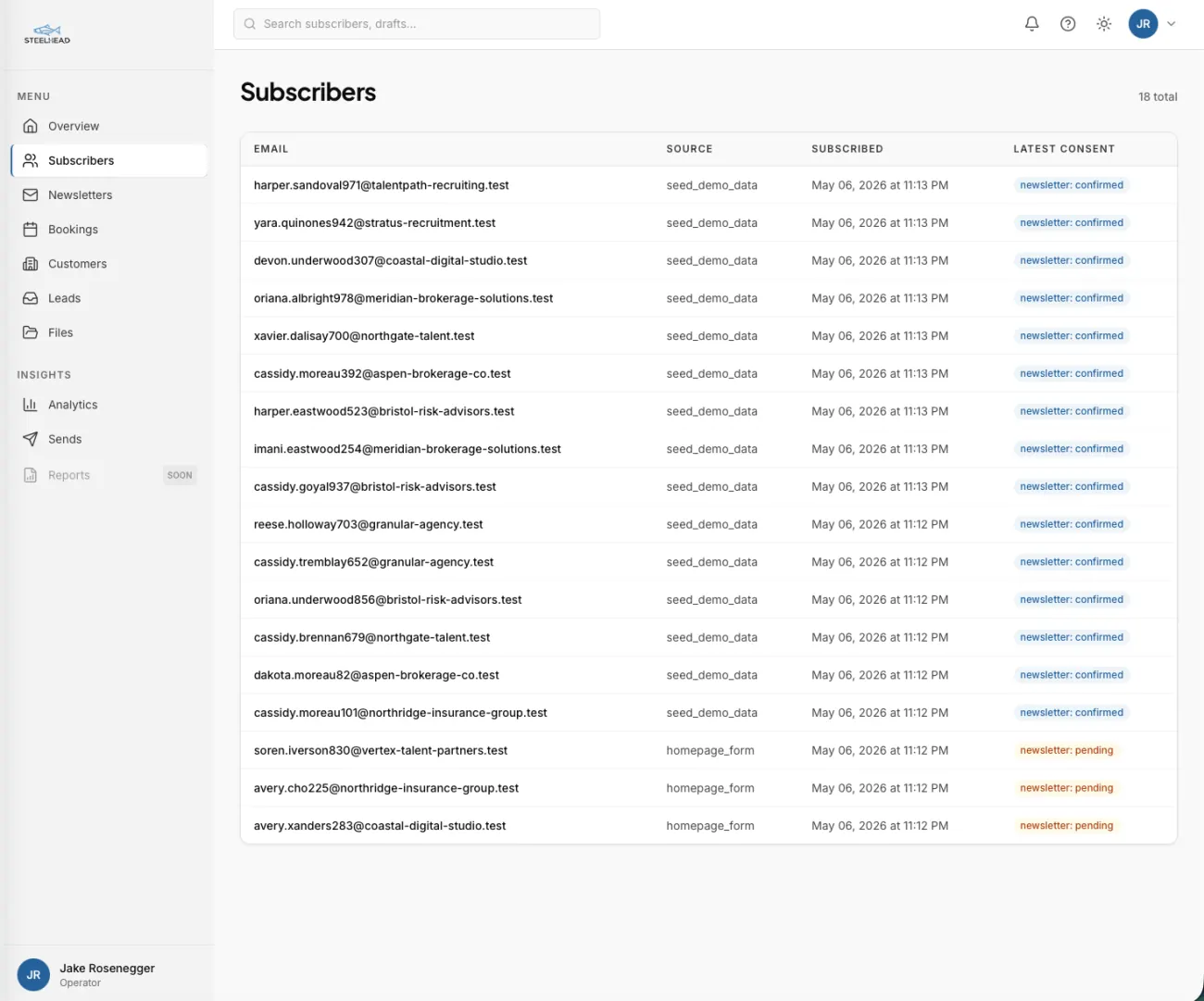
Every subscriber row carries the metadata an auditor would ask for: the IP address at signup, the user agent, the source URL, the timestamp of the original subscribe action, and the timestamp of the confirm click. Tokens are signed and isolated by purpose, so a confirm token cannot be replayed against unsubscribe and an unsubscribe token cannot be promoted to confirm. Consent is an append-only record; nothing is ever overwritten or deleted.
The newsletter composer is a three-pane editor: a list of drafts, a markdown editor in the middle, and a live preview on the right. The preview renders the same email layout subscribers will receive, including responsive styling that holds up across the major email clients. Sent newsletters are logged with a snapshot of the exact HTML that went out, so the audit trail survives even if the draft is edited later.
A category of tool that bills somewhere between $20 and $50 a month at solo subscriber counts is internalized into one surface, and the compliance posture is built into the schema rather than checked off a vendor's documentation.
Files that answer questions
File management is split into two corpora: per-customer files and a private knowledge corpus. Per-customer files are scoped to a single engagement and visible only inside that customer's drawer. The knowledge corpus is broader, holding industry research, reference materials, and reusable artifacts the operator wants searchable across every engagement.
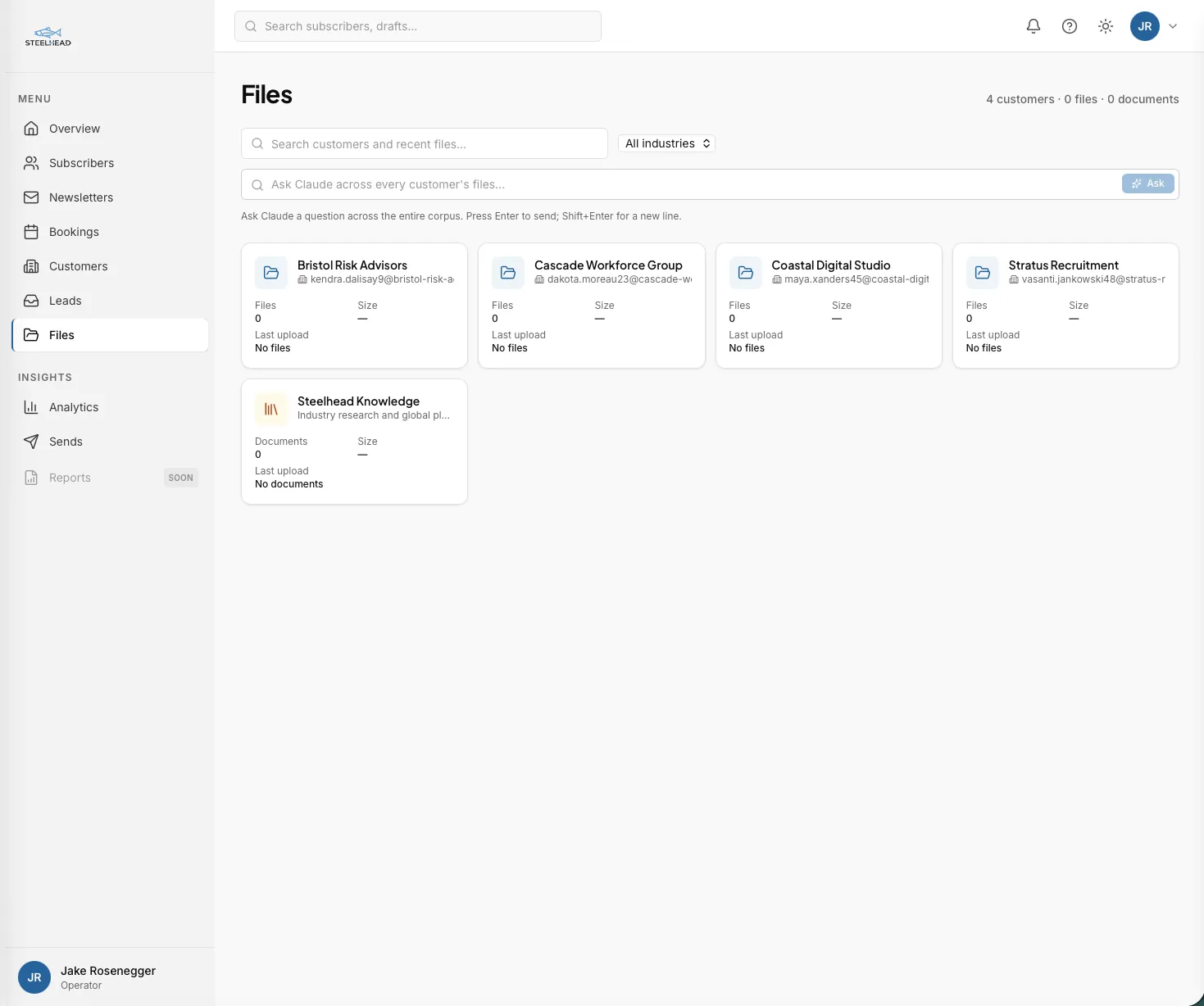
The folder grid is familiar enough; what makes it useful is what happens after upload. Documents are read, broken into searchable chunks, and indexed against both a meaning-based search and a keyword search at the same time. A flag at upload time marks anything sensitive, and that flag is enforced at the database layer rather than in application code, so the search will never return a sensitive chunk to a query that should not see it.
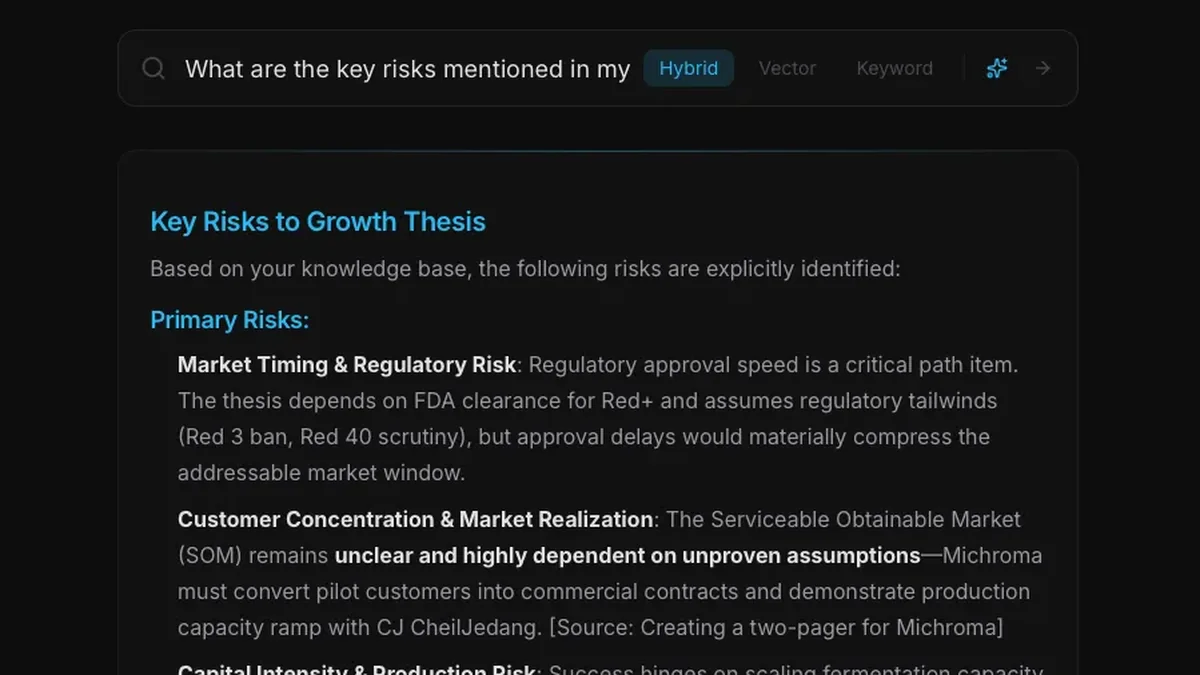
Files become more useful when you can ask them questions. The platform exposes a Claude-powered ask-the-corpus feature: any operator-uploaded document, whether it is a customer's compliance memo or an industry whitepaper, becomes searchable through natural-language questions. SharePoint has a similar capability for enterprise tenants. Building it directly into the platform means it is available without a separate subscription or licensing tier, and the answers come back with citations to the exact source chunks they used.
This surface replaces the slice of work covered by a paid file-storage product plus a separate knowledge wiki, while delivering a capability most consultants do not have at any price. For the engineering pattern that makes the question-and-answer side work, the private knowledge graph case study walks through the same retrieval architecture in more depth.
Knowing what's working
Analytics watches the assessment funnel from the first click to the final submission. Every lifecycle event is captured: a visitor starting the assessment, advancing through a question, going back, abandoning the tab mid-flow, capturing their email at the gate, and completing the submission. Each event is keyed to the same session identifier so the funnel rolls up cleanly per visitor.
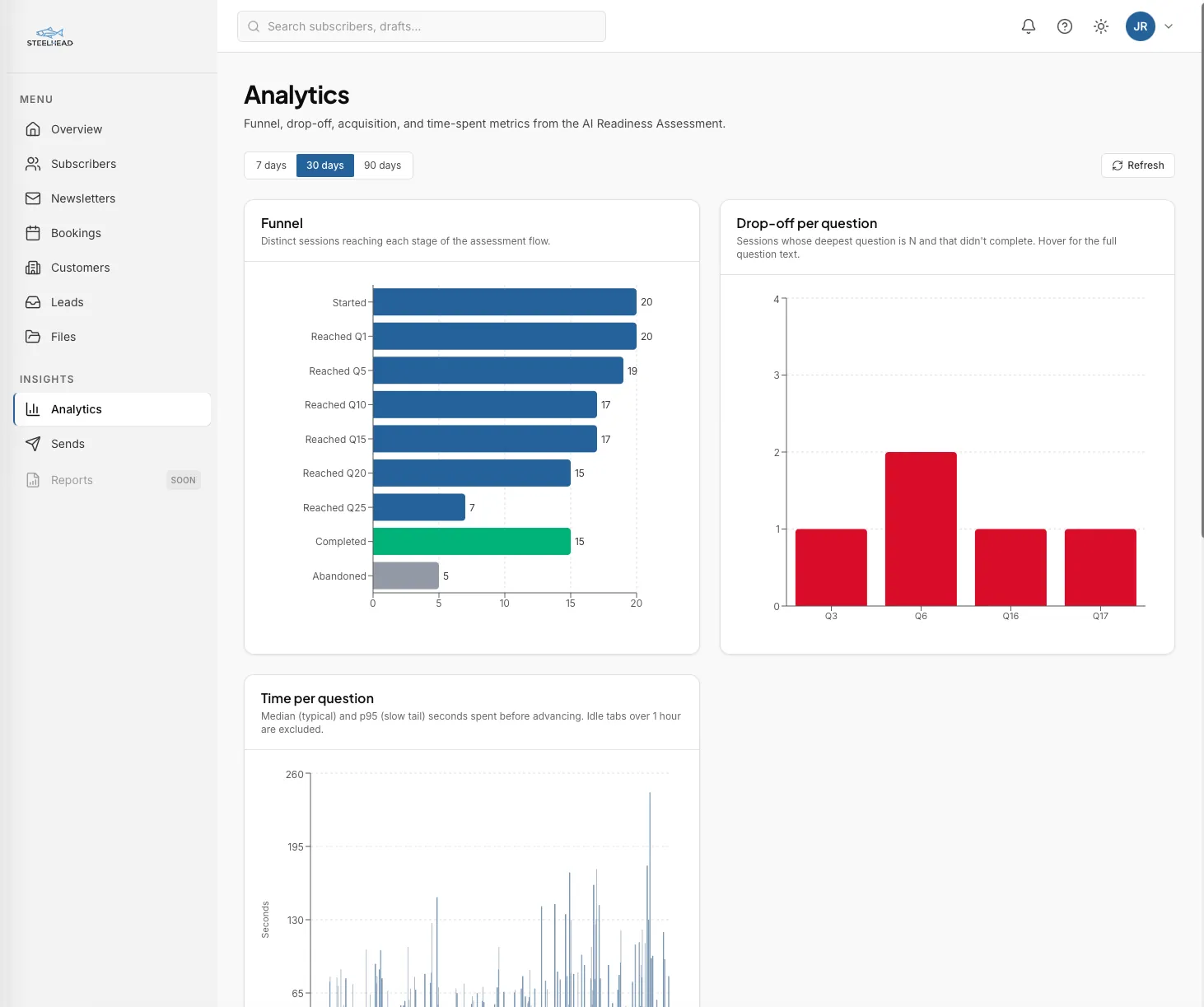
The dashboard renders four perspectives on the same data. The funnel chart shows where the largest drop-offs happen, by stage. The per-question drop-off view zooms in on which questions cost the most completions, with median time-on-question alongside so a slow question and a stalling question can be told apart. Acquisition splits the inbound by UTM source, medium, and campaign, with first-touch attribution preserved across the entire pipeline. The trend view tracks daily and weekly volume so a campaign's actual lift becomes visible against the baseline.
No third-party tracker, no per-event pricing tier. The funnel data lives in the same Postgres database as the customer record, so the join from a UTM-attributed lead to the booked discovery call to the eventual customer is one query rather than four exports. This surface replaces the assessment-flow slice of a typical product analytics subscription, which runs roughly $20 a month at solo volumes and accelerates fast on event count.
The platform at a glance
7
Subscriptions consolidated into one platform
41
API endpoints (31 operator + 10 public)
21
Postgres tables spanning every workflow
640
Automated tests passing
~33,400
Lines of code across the backend and dashboard
< $75
Monthly Azure hosting cost
The platform exists because integration cannot be bought. Every customer record is one record, with the booking that triggered it, the assessment that generated the lead, the files associated with the engagement, and the analytics that attributed the visit, all queryable together. That capability does not exist in any single SaaS at any price. The Azure infrastructure runs in the Canadian sovereign data boundary by design. The system bends to fit the workflow rather than the other way around.
What you actually get
This is not a SaaS replacement for teams. Multi-tenant tools at scale exist; they earn their price by handling the complexity of many customers at once. This is what a single operator can have when they stop renting their tools and start owning them.
Three things change when the workflows live in one platform instead of seven.
Every workflow is integrated. A booking links to the contact that triggered it. The contact links to the assessment that generated the lead. The assessment links to the UTM that attributed the visit. The customer record links to the files for that engagement, and the files answer questions inside the customer drawer. There is one record of each thing, in one place, queryable as a whole.
Zero recurring vendor risk. The platform does not get acquired. It does not change pricing on an unrelated quarter. It does not deprecate a feature an operator has come to depend on. The dependency surface is reduced to the underlying cloud provider and the AI model behind the ask-the-corpus feature, both of which are swappable through small interfaces rather than wholesale rewrites.
Modifiable on demand. A new requirement turns into new code, deployed in minutes. A change to a SaaS workflow is a feature request that may or may not arrive in a vendor's roadmap. The case study clients reading this should hear the second-order point: the consultant they are evaluating ships the same kind of system for their own operations. That is a different signal from a deck full of stock screenshots.
Tech stack
Backend
Database
Frontend
Infrastructure
AI & search
Email & compliance
Frequently asked questions
Is the Steelhead Operations platform a product I can buy?
No. It is the internal operations system that runs Steelhead. It is single-tenant by design, with no user management, no per-seat pricing, and no public sign-up. The case study exists so prospective clients can see the engineering posture behind the consulting work, not because the platform is for sale.
Why Azure specifically, not AWS or GCP?
Azure was chosen primarily because it offers Canadian data residency in the Canada Central region with full sovereignty controls, which matters for any client whose data cannot leave Canada under PIPA, OSFI, or other Canadian regulatory frameworks. AWS and GCP both have Canadian regions, but Azure's data sovereignty story (specifically around Microsoft 365 integration and Canadian government compliance) was the cleanest fit for the kind of clients Steelhead works with. The platform's external dependencies are abstracted behind interfaces, so a future migration to another cloud provider is feasible without rewriting the application logic.
What does the platform actually replace?
Subscriber management, newsletter publishing, scheduling, customer relationship records, file management, lead intake forms, and product analytics. At solo scale that is roughly $2,000 a year of disparate SaaS, internalized into one Azure-hosted Function App with one Postgres database and one dashboard.
Why build instead of buy?
Two reasons. First, the cost gap widens at every per-seat tier; a small team that grows to ten seats on the same SaaS stack pays many multiples of what custom hosting costs. Second, every workflow is now modifiable in code rather than gated by a vendor roadmap. New requirement, new code, deployed in minutes. For the broader argument on when custom is worth it, see our guide to what custom AI actually costs.
Could a similar system be built for my business?
Yes, with the caveat that the answer depends on what is unique to your operations and what is generic. Pieces that are generic (newsletter, scheduling, basic CRM) are well served by SaaS until you outgrow them. Pieces that are specific to your business (your intake flow, your audit requirements, your customer-record shape) are where custom software earns its keep.
Related case studies
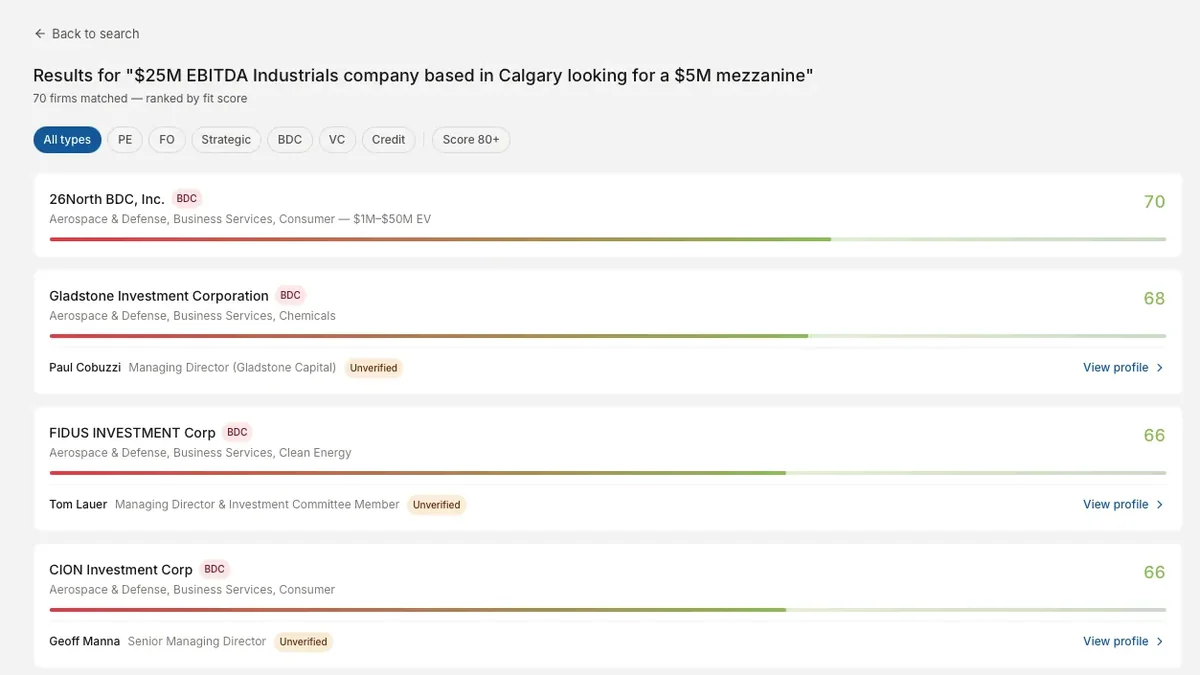
M&A Advisory
Automated Buy-Side Intelligence for M&A Deal Sourcing
A 27-stage pipeline that resolves 8,000+ raw entities into 3,190 deduplicated buy-side firms scored against deal parameters.
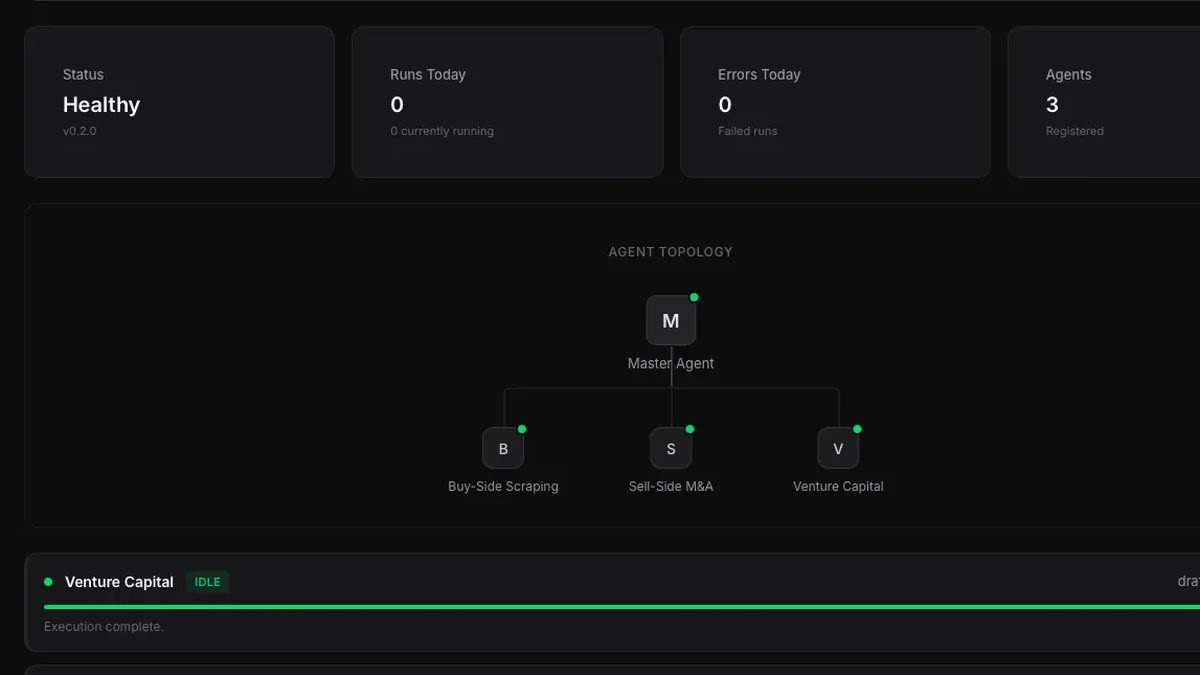
Venture Capital
Centralized Intelligence Platform for Venture Capital
A multi-agent platform monitoring 138 VC firms and producing institutional-quality investment theses in 5 to 7 minutes.
Internal Tooling
Building a Private Knowledge Graph That Actually Answers Questions
A local-first memory system that ingests 1,400+ documents and answers questions with citations in under a second.