Why does keyword search stop working at 500 documents?
Folder structures and keyword search both collapse once a knowledge worker accumulates a few hundred documents. The information is in the pile, but it cannot be retrieved fast enough to use.
Every knowledge worker with more than two years of experience hits the same private crisis: their own document pile has outgrown their ability to navigate it. A single year of work for a VC associate, M&A analyst, or solo founder leaves behind pitch decks, CIMs, term sheets, hundreds of email threads, Slack exports, meeting notes, prior conversations with the same counterparty across unrelated deals, and screenshots and half-finished drafts.
Folder structures stop working at around 500 documents. Keyword search finds files with the exact words you remember but misses the ones that said the same thing differently. The information exists. You just cannot get to it in the thirty seconds before a call starts.
Off-the-shelf tools do not solve this. Notion AI and Claude Projects have no persistent ingestion from email, Slack, or Drive, and no graph structure connecting a person across the documents they appear in. Glean and Hebbia are enterprise products at enterprise prices, with vendor-led customization for the entity ontology. ChatGPT or Claude with file uploads is per-conversation, with no shared memory between sessions and no link from a retrieved passage back to the source document for verification.
The gap is a local-first, single-tenant memory layer. Private enough to hold sensitive deal data, smart enough to connect documents by the people and organizations inside them, and honest enough to always show which source a passage came from.
Our approach: local-first, single-tenant, conservative by design
Three architectural commitments shape every decision in this system. Each one is a deliberate trade-off against the easier framework-driven path most AI consultants take.
Local-first. The whole pipeline runs on a Mac Studio in the office. Nothing in the document pile leaves the network except the AI calls that read and summarize text, and even those are scoped to extraction and embedding, never to the raw corpus during search. There is no cloud-hosted vector store, no per-seat SaaS contract, and no question about where the data sits at rest. For sensitive corpora, an Ollama-based offline mode keeps even the AI calls on the machine.
Single-tenant. The entity ontology is tuned to one user or team, not generalized for a marketplace. That sounds like a limitation. It is actually the point. A single-tenant system can ship a five-type ontology that covers exactly the entities the user cares about. A multi-tenant SaaS has to support every customer's vocabulary, which forces it back toward generic noun extraction and the kind of "every document references Calgary" hairball graphs that make most enterprise knowledge tools unusable.
Conservative by design. When two extracted entities might be the same, the system would rather leave them as duplicates than risk a wrong merge. A duplicate is recoverable. The next document mentions the entity again, the next resolution pass picks it up. A wrong merge is silently destructive: source documents get unioned, the canonical name is overwritten, and downstream relationships now point to the wrong thing.
This is also why the system is not a thin wrapper around an off-the-shelf RAG framework. Most RAG tutorials show a vector store, an embedder, and a prompt template, and you can build that 70% of this system in an afternoon. The other 30% is everything between "retrieval returns results" and "the results are trustworthy enough to act on." That work is tuning what the AI pulls out of each document, filtering out noise, and merging duplicates carefully. Frameworks hide exactly those layers behind config and make them hard to fix when they go wrong.
Building those layers as first-class code is what lets the graph hold up instead of slowly rotting as the corpus grows.
How the system works
A new file shows up. The system notices it, picks the right way to read it, breaks it into chunks small enough to search, encodes each chunk so the AI can find it later, pulls out the people and companies it mentions, removes junk, merges anything it has seen before, and gets ready to answer questions across everything in the pile. Each of those steps is its own decision, and each decision is where most off-the-shelf tools fall down.
Watching the filesystem and ingesting documents
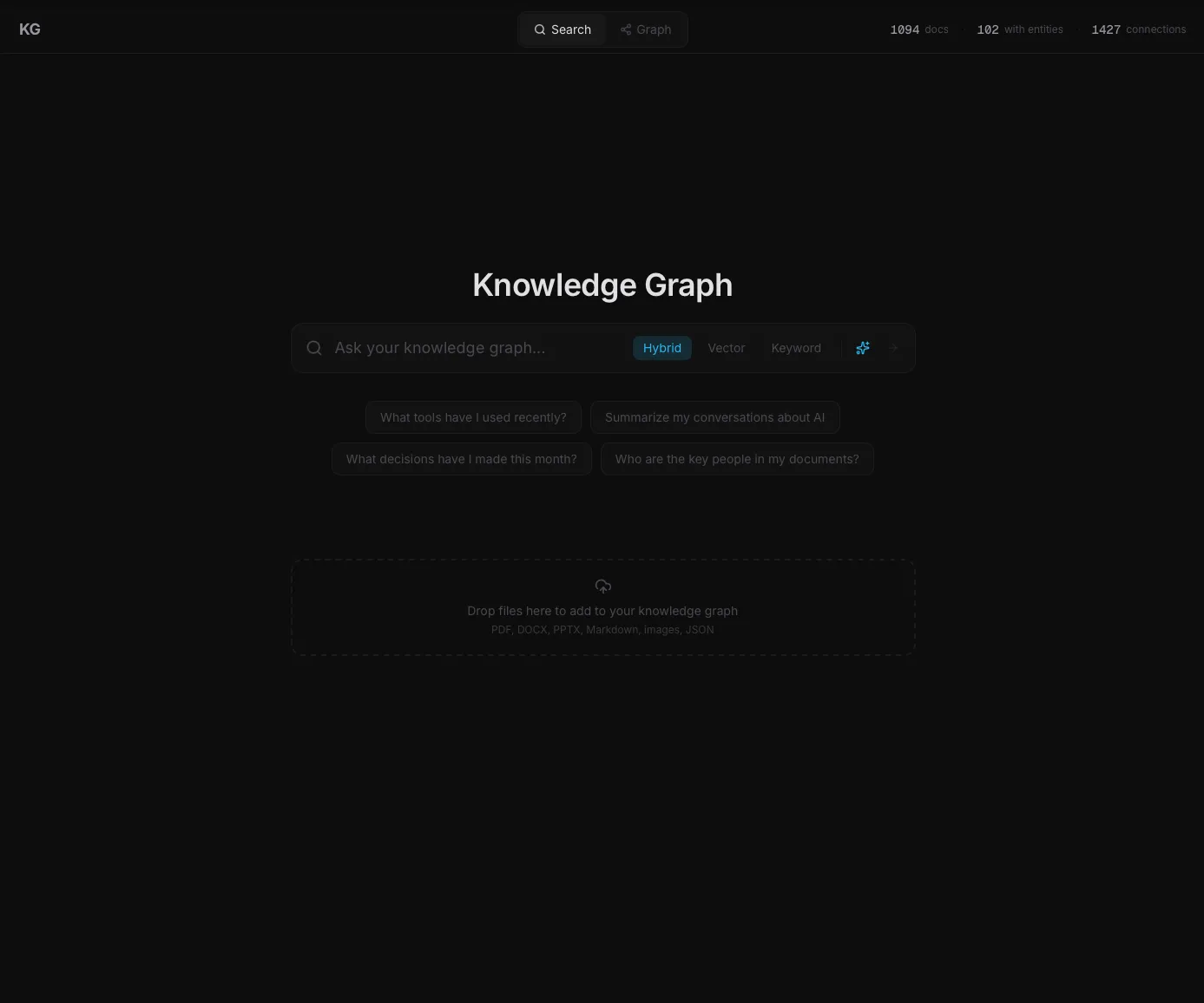
A small background process watches your Downloads, Documents, and Desktop folders for new files. When one appears, it waits a few seconds (in case the file is still being saved) and then hands it off to the right reader for that file type. PDFs, Word docs, PowerPoints, Markdown, plain text, source code, images, and JSON exports from chat tools each have their own processor. Duplicate files (detected by their content fingerprint, not their name) are skipped.
Searching by meaning and by exact words at the same time
Most search tools force a choice. Either they match the exact words you typed (and miss anything worded differently), or they match the meaning (and miss the document that uses your specific term of art). This system does both at once and then combines the results.
A meaning-based search runs in parallel with a keyword search. The meaning search finds chunks that talk about the same idea even when the words are different. The keyword search finds chunks that contain the exact terms. Both lists are merged using a well-studied math trick that rewards anything ranked highly in either list, then sorted by relevance. (Technically: vector search against a 3,072-dimensional embedding index, plus a full-text keyword index, fused with Reciprocal Rank Fusion at k=60.) The system can also catch time-scoped questions like "what was raised last week" and filter results by date.
For a plain-language explanation of why this hybrid approach beats either method on its own, see our guide to how RAG searches your own data instead of guessing.
Pulling out the people and companies in every document
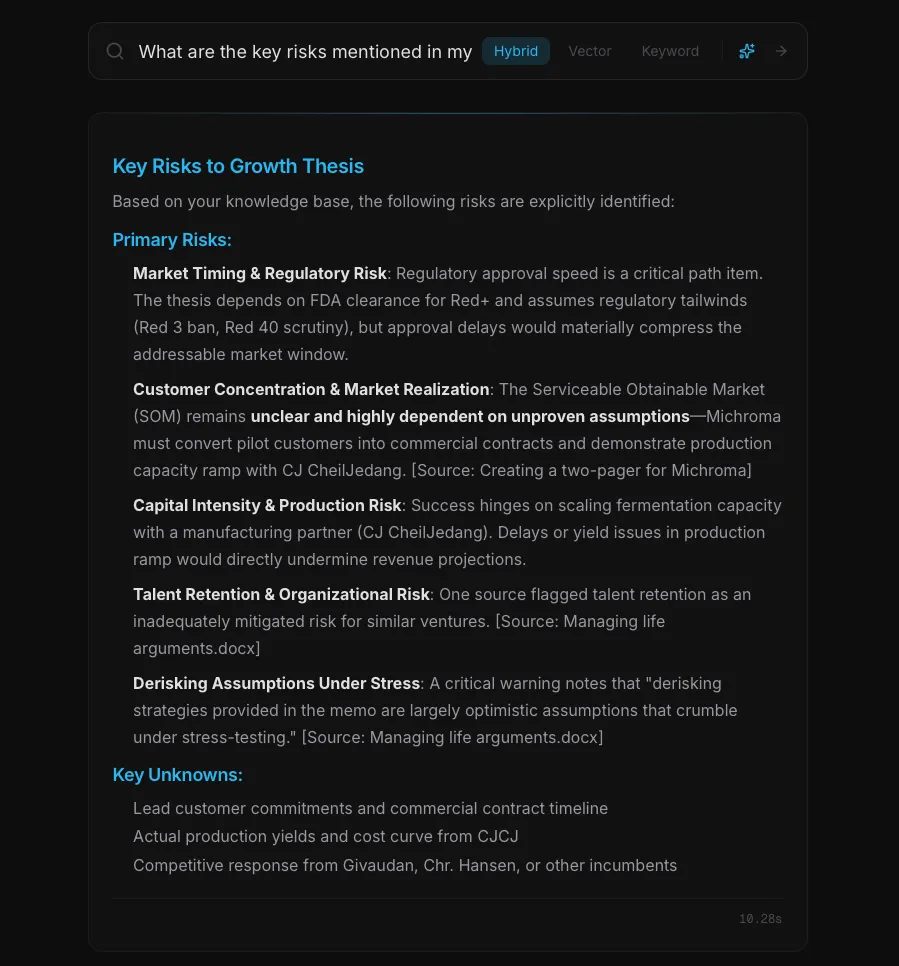
For every chunk of every document, an AI model pulls out the entities that matter: people, organizations, projects, tools, and technologies. It also notes how they relate (who works at which company, which projects depend on which tools, who has invested in whom). All of this gets stored as a graph, so the system can answer "show me every document that mentions this person" in milliseconds.
The first version of the system tried to extract ten different kinds of entities, including locations, events, concepts, and dates. The graph filled with low-value nodes like "Calgary," "the office," "strategy," "growth," and "Q4 2024." Every document touched most of these, and the graph became a hairball where everything connected to everything through generic words. Cutting to five entity types produced a graph where every node is something someone might actually search for.
The work runs about $0.02 per document on Gemini Flash. An earlier version ran the same job locally on a 32-billion-parameter open-source model. It worked, but it could only process one document at a time on the GPU and would have needed over a hundred hours to finish the full corpus. The hosted version runs ten chunks at once and finishes the same job in an afternoon. The local model is still available as an offline fallback for documents too sensitive to leave the machine.
Nine filter layers that keep the graph clean
Real documents are full of noise that confuses AI systems. Legal templates repeat boilerplate phrases hundreds of times. Tool exports leak technical artifacts into the text. PDFs include footers and section markers on every page. Without filtering, the graph would fill with garbage like "Company," "Section 4," and "Exhibit I" instead of the actual people and tools that matter. The system runs each chunk's extracted entities through nine filters that catch this junk before it hits the graph.
The filters cover the kinds of noise that show up in real corpora: junk acronyms (AI, API, SDK), generic words ("data," "tool," "node"), software-export artifacts, legal boilerplate, headers like "Section 4" or "Exhibit I," ubiquitous tools like docusign or npm, and possessives or descriptions that got pulled in as names ("Ammobia's fermentation platform" should just be "Ammobia"). A final pass drops orphan relationships whose endpoints were filtered out by an earlier rule.
Each filter exists because of a specific failure that showed up in the real corpus, not because of a best-practice generality. One cleanup pass in the system's history removed 117 junk entities in a single batch, and the filter rules were rebuilt around the exact mistakes that pass uncovered.
Better duplicates than wrong merges
The same person, company, or tool gets mentioned in dozens of documents, often spelled slightly differently. The system has to recognize that "FastAPI" and "fastapi" are the same thing, but it must not accidentally merge "FastAPI" and "Pydantic" just because both happen to be Python tools.
The rule is conservative by design: better to leave duplicates than to make wrong merges. A duplicate is recoverable; the next document mentions the entity again and the next pass picks it up. A wrong merge is silently destructive: source documents get pooled together, the canonical name is overwritten, and downstream relationships now point to the wrong thing.
Merges only happen on surface-level matches that are very hard to get wrong: exact name match (case ignored), name match after stripping punctuation, one name being a strict prefix or suffix of the other (with safety checks so "Engine" never merges into "Scoring Engine"), and a careful first-name-variant rule that catches "Jake Rosenegger" matching "Jacob Rosenegger" without merging unrelated people who happen to share a first initial. An earlier version of the system tried merging by meaning rather than spelling. It collapsed unrelated tools whose descriptions both mentioned "Python web framework," and the merges were silent. The current rules trade a little recall for a lot of precision, and the precision is what keeps the graph from rotting over time.
Source citations and the document viewer
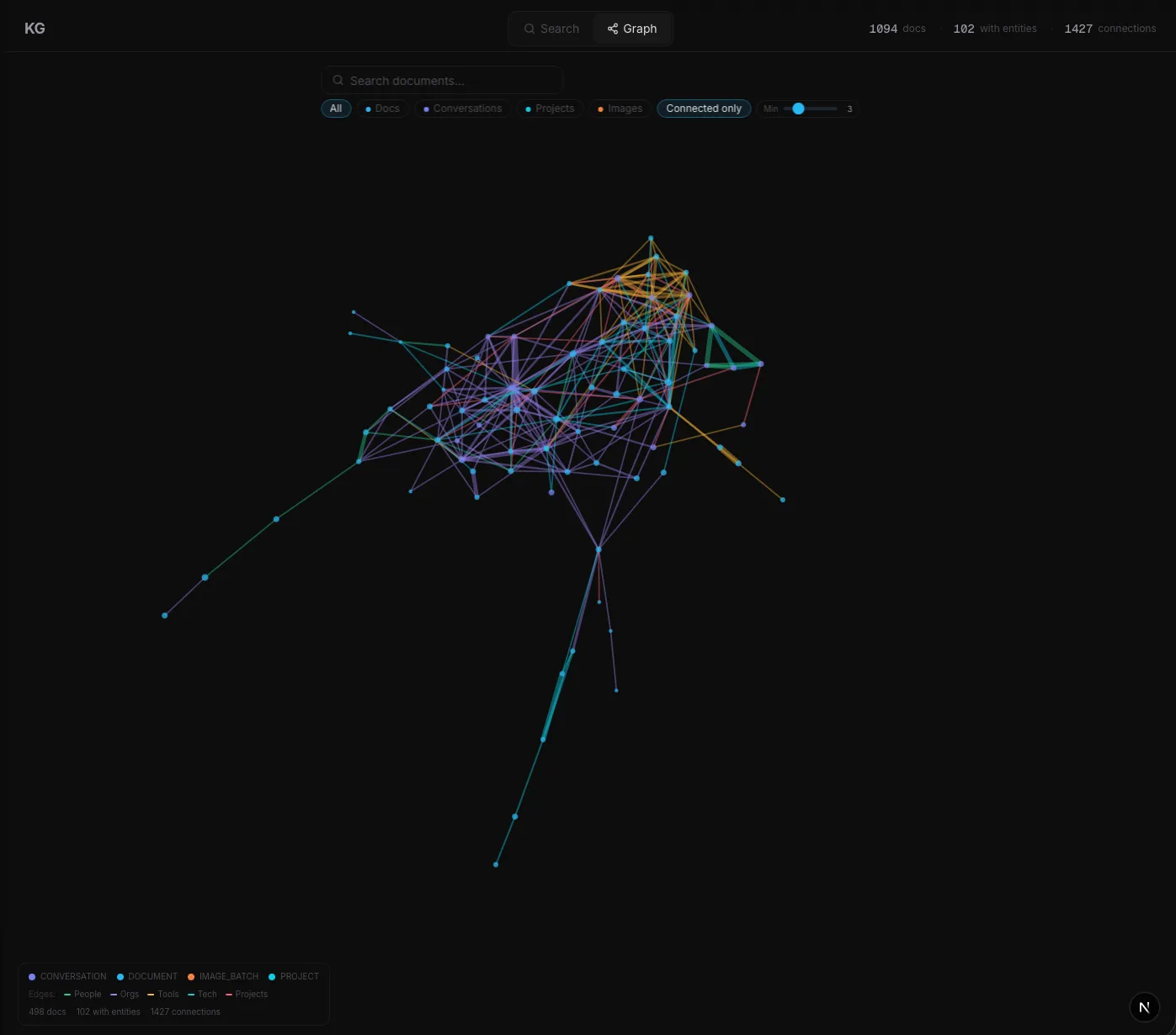
Every answer is attached to the chunks the system actually used, with a link that opens the source document at the matched passage. For Markdown, plain text, and source code, the matched section is highlighted in yellow and scrolled into view. For PDFs, the document loads in the browser's native PDF reader with the matched chunk shown as a callout below.
Several hours went into building a custom PDF viewer that would highlight the matched passage inside the rendered PDF itself. It did not work reliably; PDFs have wildly different internal text layouts, and the highlight would land in the wrong spot too often. Using the browser's native PDF reader gave up that one feature in exchange for speed, fidelity, and zero extra code. Knowing when to stop building custom is the engineering judgment that matters.
What did this enable in practice?
The system runs on 1,400+ ingested documents and answers cross-document questions in under a second, with citations on every claim. The graph holds 4,700+ extracted entities and 7,000+ relationships at full-corpus extraction cost in the $13 to $18 range.
1,400+
Documents ingested and searchable
4,700+
People, companies, and projects extracted into the graph
7,000+
Connections mapped between documents
~$0.02
Cost per document to extract entities
< 1 sec
Typical query response time
100%
Source attribution on every answer
More importantly, the system answers questions that off-the-shelf tools cannot. Which deals reference the same lawyer? Which projects depend on the same vendor? Which risks have been raised by more than one counterparty across unrelated transactions? The thirty-second pre-call lookup is no longer a folder-and-search exercise. It is a single typed question with a cited answer.
Could this work for your business?
The pattern is high document volume, repeated cross-document reasoning, and weak existing search. If your team has more than a few hundred operational documents and finds the right information by remembering where a thing was filed rather than by querying it, this architecture maps directly to your business.
It applies to staffing agencies with years of candidate notes, intake forms, and prior placements. It applies to insurance brokerages with binders, renewals, loss runs, and broker notes spread across decades of policies. It applies to marketing agencies with client briefs, decks, performance reports, and prior creative. It applies to law firms working across briefs, depositions, and prior matters; to M&A advisory teams across CIMs, prior transactions, and counterparty research; to corporate development teams tracking deals across years.
What changes per industry is not the architecture. It is three things: the entity ontology (a law firm needs MATTER, JURISDICTION, STATUTE; a staffing agency needs CANDIDATE, PLACEMENT, CLIENT, SKILL), the filter layers (every domain has its own boilerplate vocabulary that needs to be filtered out), and the ingestion connectors (most clients need Gmail, Outlook, Drive, SharePoint, Slack, or a CRM as sources). The hybrid retrieval, conservative entity resolution, filter pipeline built from real failures, and local-first deployment all stay identical.
Tech stack
Backend
Storage
AI & Embeddings
Frontend
Document parsing
Frequently asked questions
How long does a private knowledge graph implementation take?
A typical buildout is six to ten weeks. That covers source connectors for your actual data systems (email, Drive, SharePoint, Slack, CRM), a custom entity ontology tuned to your domain, filter rules for your specific boilerplate vocabulary, white-label UI, and on-premises or VPC deployment if your data sensitivity requires it.
How is this different from Notion AI, Glean, or ChatGPT with file uploads?
Notion AI and Claude Projects do not automatically pull in new files from your inbox or Drive, and have no graph structure connecting people across documents. Glean is enterprise-priced and requires vendor customization for the entity ontology. ChatGPT with file uploads forgets everything when the chat closes. This system runs locally, ingests automatically, builds a cross-document entity graph, and cites every source.
What does it cost to run?
Entity extraction runs about $0.02 per document at Gemini Flash rates. There are no per-seat fees, no per-query fees, and no vendor markup. Compute beyond the AI calls runs locally on the machine you already own. For a deeper breakdown of how AI costs are calculated, see our guide to what custom AI actually costs.
Can this work with confidential documents like deal data, client files, or legal records?
Yes. The system is local-first and single-tenant by design. Documents stay on your machine. The only outbound traffic is to the embedding and extraction APIs, never the raw corpus during search. For highly sensitive deployments, an Ollama-based offline mode keeps the entire pipeline on-premises with no external API calls.
What kinds of files can it ingest?
PDFs, Word docs, PowerPoint, Markdown, plain text, source code, images, and JSON exports from tools like Slack and Claude conversations. Each file type has a dedicated processor that preserves structure and metadata. Spreadsheets, audio, and video are not currently routed but can be added per engagement.
Related case studies
Internal Tooling
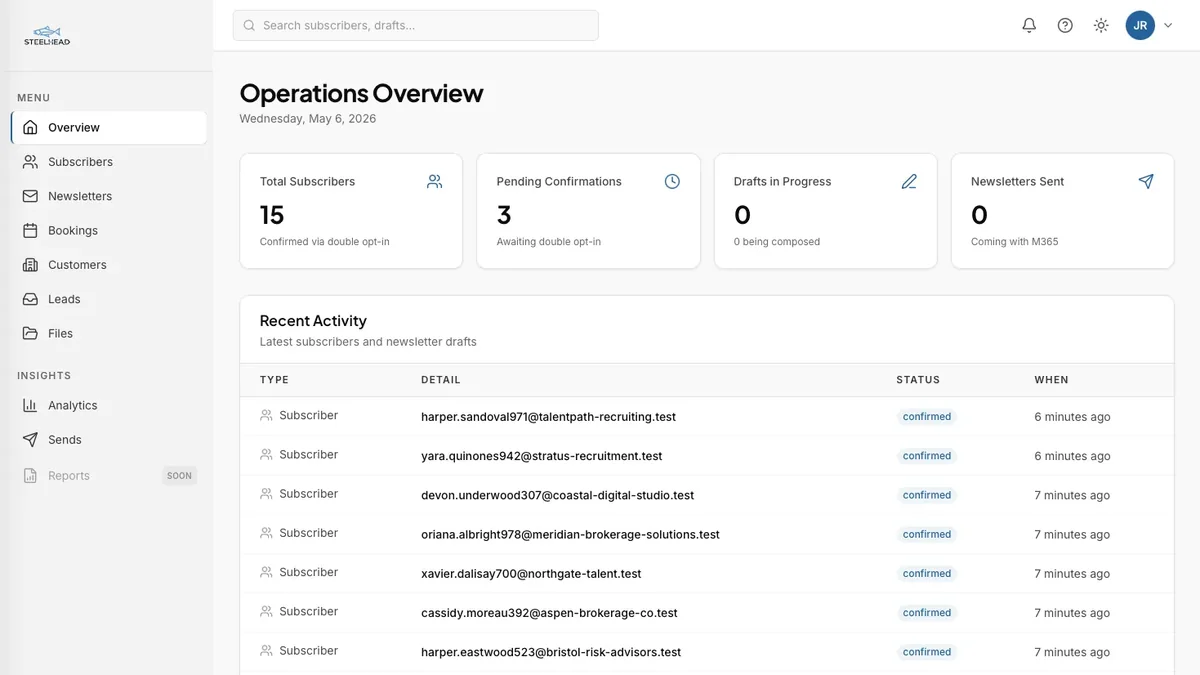
One platform replaced seven subscriptions
A solo-operator platform that unifies lead capture, scheduling, customer records, files, and analytics into one integrated system, with every workflow connected through a single customer record.
M&A Advisory
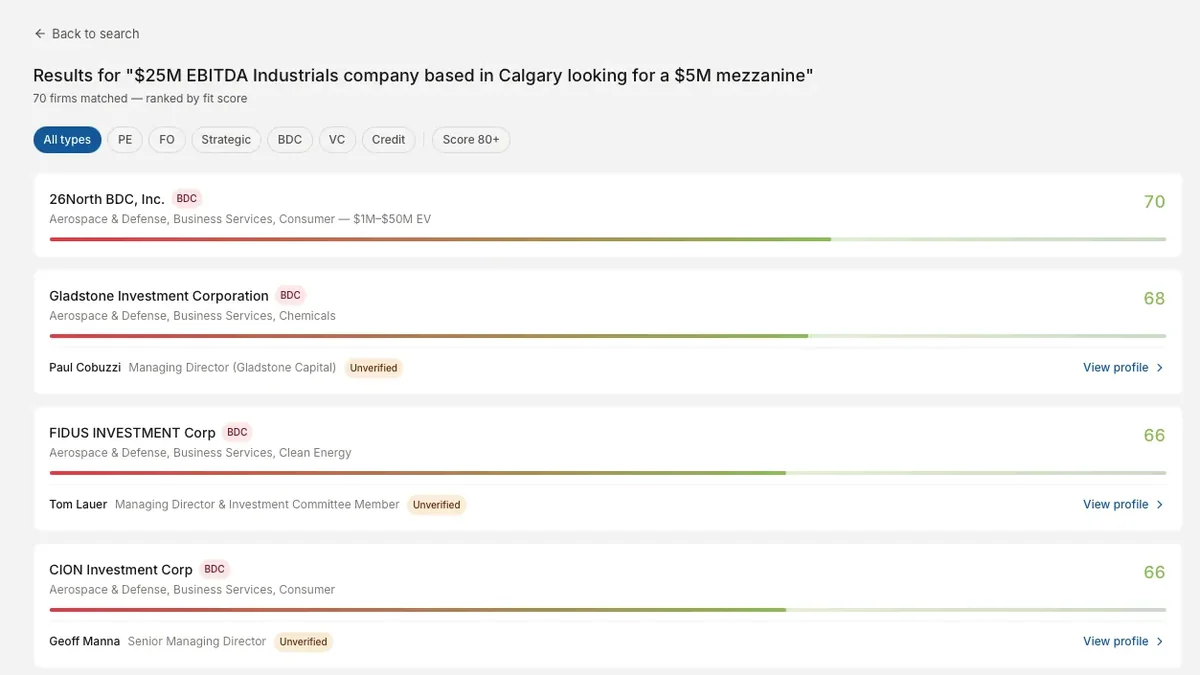
Automated Buy-Side Intelligence for M&A Deal Sourcing
A 27-stage pipeline that resolves 8,000+ raw entities into 3,190 deduplicated buy-side firms scored against deal parameters.
Venture Capital
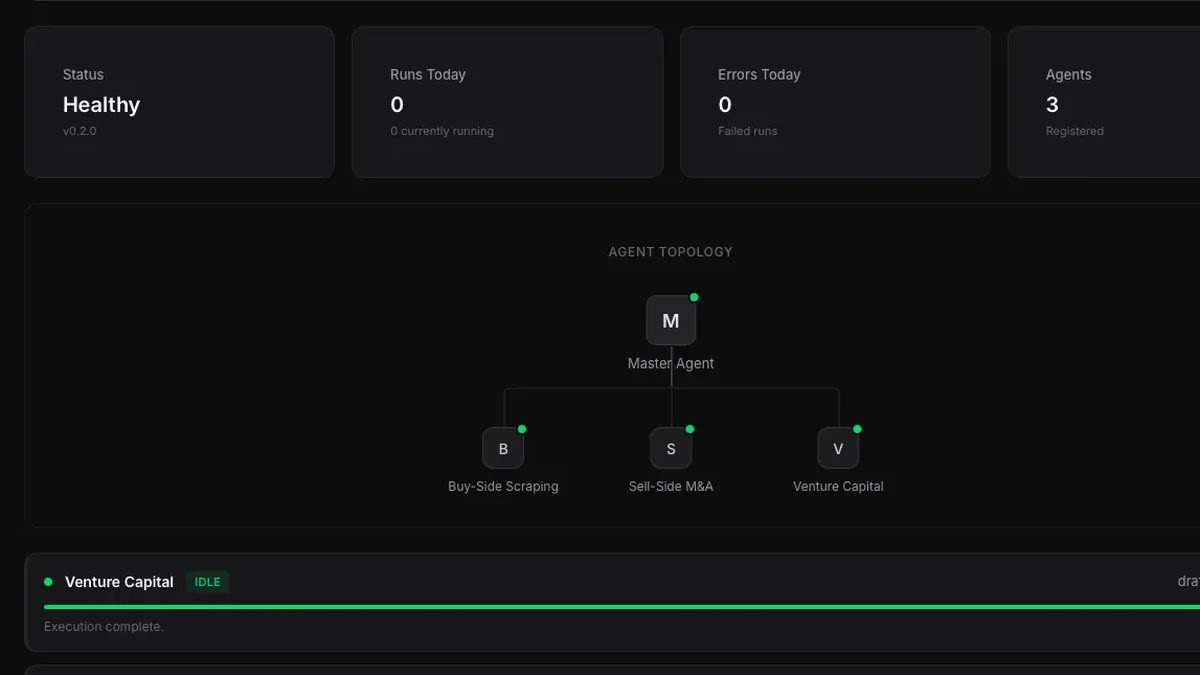
Centralized Intelligence Platform for Venture Capital
A multi-agent platform monitoring 138 VC firms and producing institutional-quality investment theses in 5 to 7 minutes.